By Posture Reminder AI
Published by Posture Reminder AI
Stacked Monitor Neck Pain: How to Use a Top Monitor Without Regretting It
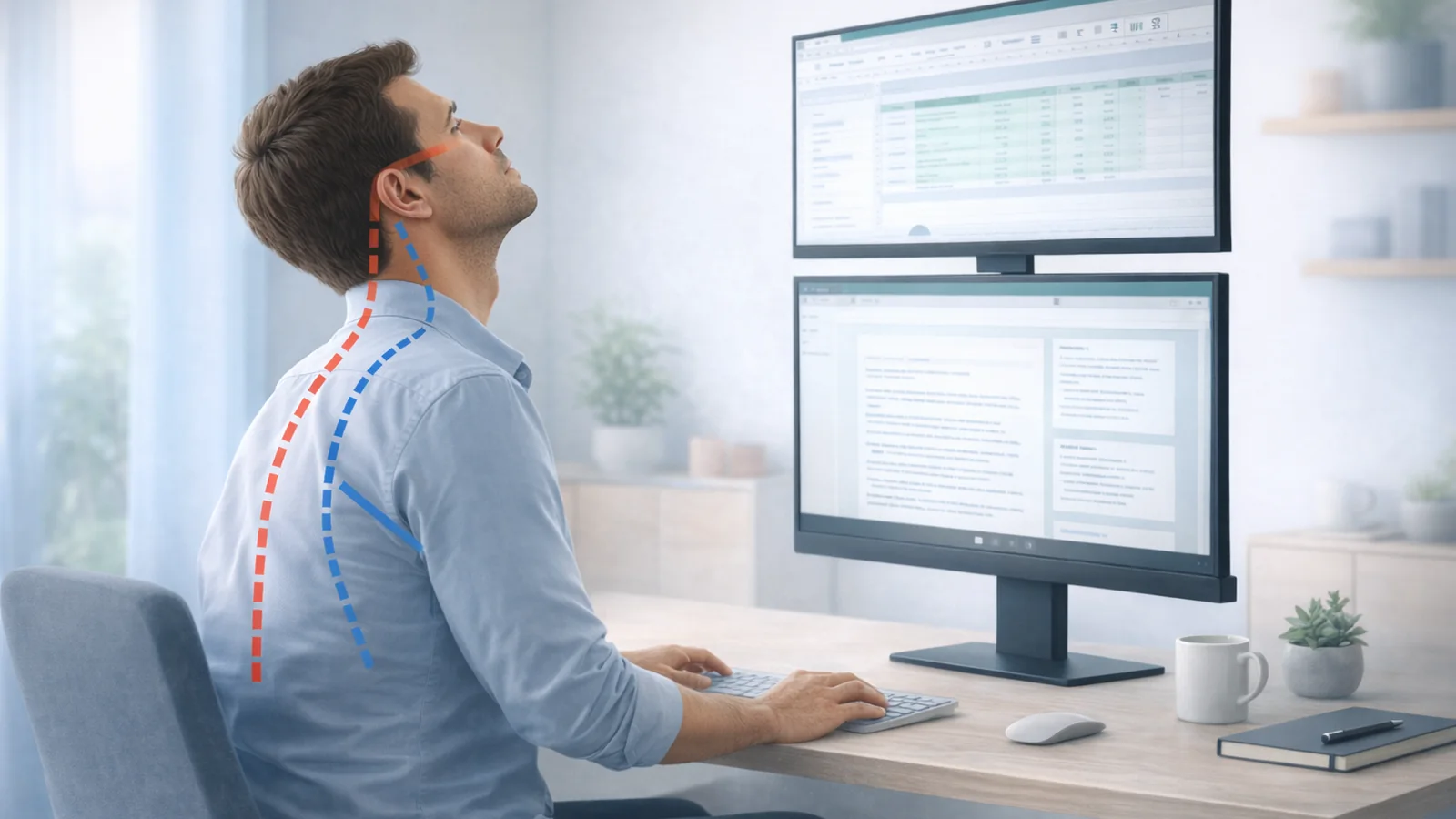
Stacked monitor neck pain is real for a simple reason: a top screen raises the task. If that upper display becomes the screen you actually read, write, code, or watch all day, your neck usually pays for it.
Quick summary
Summarize this blog with AI
Stacked monitor neck pain is real for a simple reason: a top screen raises the task. If that upper display becomes the screen you actually read, write, code, or watch all day, your neck usually pays for it.
That does not mean every stacked setup is automatically bad. It means the upper monitor has to stay a glance screen more often than an action screen. When people say their neck hurts with stacked monitors, that distinction is usually what has been lost.
The goal is not to defend the layout or attack it. The goal is to decide whether the top screen is being used in a way your neck can tolerate, then change the layout if the answer is no.
The Core Rule
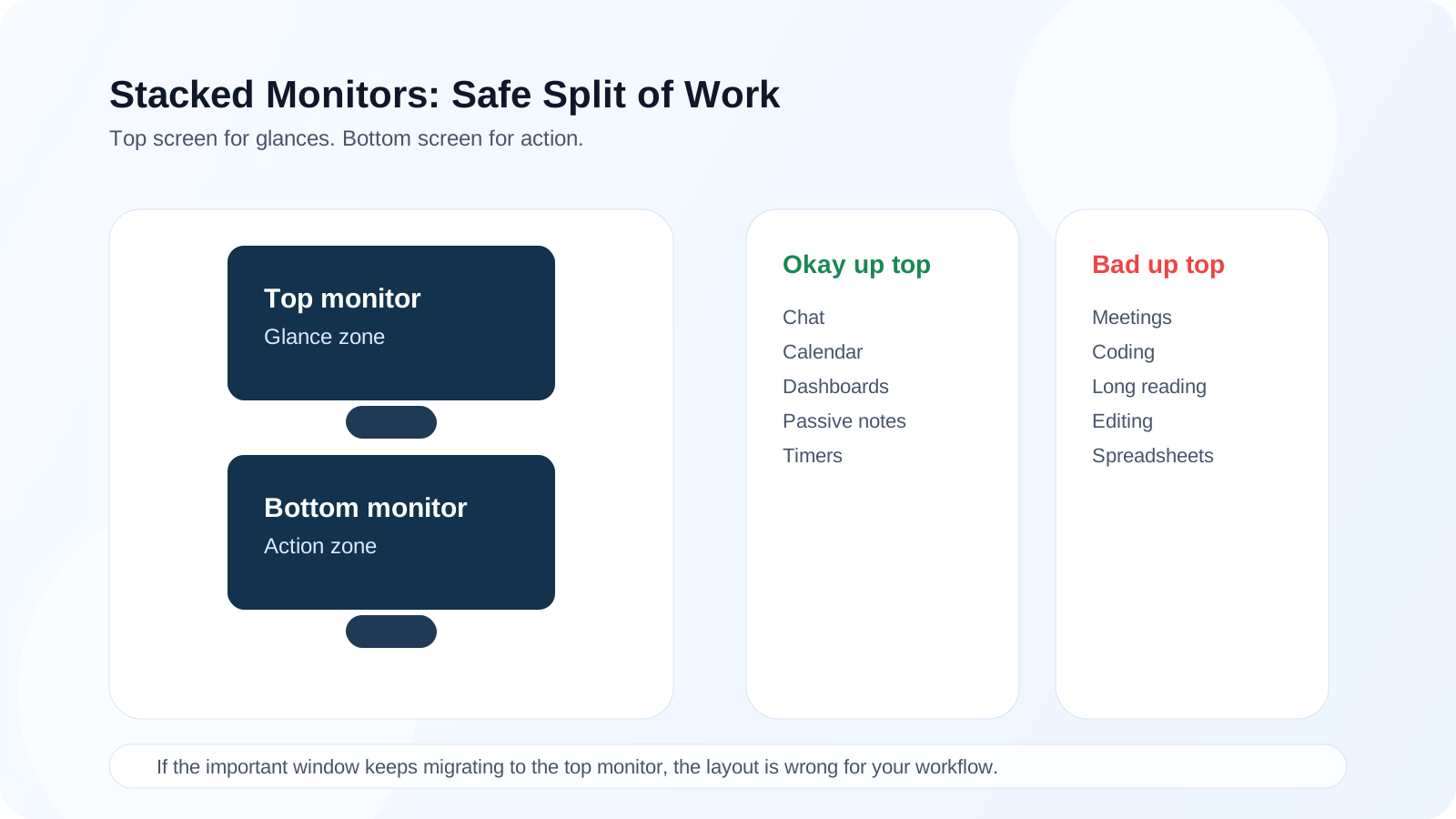
Bottom screen for action. Top screen for glances.
- If the upper monitor becomes the real work surface, the setup is usually on borrowed time.
- If the top screen is only for chat, dashboards, or reference checks, some people tolerate it well.
- The moment meetings, coding, or long reading migrate upward, the neck cost rises fast.
Key Highlights
- A top monitor is usually safer for short glances than for sustained primary work.
- Most stacked-monitor pain comes from too much dwell time on the top screen, too little desk depth, or both displays being mounted too high.
- If the upper screen keeps becoming the main work surface, a side display or single larger display is often the better answer.
- Current ergonomics guidance is broadly consistent here: looking upward for prolonged periods is more fatiguing than looking slightly downward.
Quick Answer: Are Stacked Monitors Bad for Your Neck
They are not automatically bad. They are easy to misuse. A stacked setup can be tolerable when the lower screen is the true primary monitor and the upper screen holds low-priority content that you only check briefly. The same setup becomes a problem when the top screen holds the meeting faces, main document, code editor, or spreadsheet you stare at for hours.
Top-Screen Task Table
| Usually okay on the top screen | Usually a bad idea on the top screen |
|---|---|
| Chat, calendar, timers, music, dashboards, passive notes. | Long reading, coding, spreadsheet work, active meetings, or detailed editing. |
| Reference material you glance at occasionally. | Anything you track continuously for more than brief bursts. |
| Supportive information that can stay peripheral. | The screen you care about most in the moment. |
Why the Top Screen Feels Expensive
OSHA warns that monitors placed too high force awkward head and neck posture and fatigue the muscles that support the head. CCOHS says the same thing in different words: poor viewing angle drives neck and shoulder discomfort, and looking upward is more tiring than looking slightly downward.
That is the core stacked-monitor issue. A few upward glances are one thing. Forty minutes of upward reading is another. The neck does not care whether the setup looks clean if the task keeps happening above a comfortable viewing zone.
When It Backfires Fast
- The better screen is on top, so you naturally migrate there for the main task.
- Meeting faces live on the upper screen, which turns conversation into a prolonged upward gaze task.
- The desk is shallow, so the top monitor feels dramatically higher at close range.
- Both displays are mounted high because the user followed a generic eye-level rule without accounting for the total stack height.
Height, Distance, and Tilt Rules That Matter
| Setup choice | Why it helps |
|---|---|
| Lower screen first | It keeps the main task in the most sustainable visual zone. |
| Top screen angled downward | It reduces how much neck extension the upper display demands. |
| More desk depth | A little extra distance can make the upper screen feel much less aggressive. |
| Small text kept low | Tiny text is what turns a glance screen into a lean-forward screen. |
What Ergonomic Guidance Agrees On
OSHA says the monitor should be directly in front of you and notes that a display that is too high or too low creates awkward posture. CCOHS adds that comfortable viewing usually sits around a downward angle, that looking upward is tiring, and that high monitors are a source of neck and shoulder discomfort over time. Their monitor-position material is worth reading if you want the base guidance: OSHA monitor guidance and CCOHS on monitor positioning.
Alternatives That Often Beat Stacking
If stacked monitors keep stealing your primary task upward, a side monitor, portrait side monitor, or one larger main display often works better. The right layout is the one that keeps the screen you care about most directly in front of you at the most sustainable height.
Related Reading
- Dual Monitor Ergonomics: How to Stop Neck Pain Without Giving Up Screen Space
- Ultrawide Monitor Ergonomics
- MacBook Clamshell Ergonomics
- Zoom Neck Pain: Why Video Calls Hurt Even When Your Desk Setup Looks Correct
Medical Disclaimer
This article is for educational purposes only and is not medical advice. It is not intended to diagnose, treat, cure, or prevent any condition, and it does not replace care from a physician, physical therapist, or other qualified clinician. If you have severe pain, numbness, weakness, dizziness, worsening symptoms, or questions about your specific situation, seek professional medical evaluation.