By Posture Reminder AI
Published by Posture Reminder AI
Headset Neck and Jaw Pain: How to Make All-Day Headphones More Comfortable
A headset can make calls easier while becoming the most uncomfortable part of the workday. By afternoon, you may notice pressure at the crown, soreness around the ears or temples, a tight jaw, or an ache through the neck and shoulders. Taking the headset off may help, but that does not prove it caused the underlying problem.
Quick summary
Summarize this blog with AI
A headset can make calls easier while becoming the most uncomfortable part of the workday. By afternoon, you may notice pressure at the crown, soreness around the ears or temples, a tight jaw, or an ache through the neck and shoulders. Taking the headset off may help, but that does not prove it caused the underlying problem.
Headphones can aggravate symptoms through pressure, weight, uneven fit, uninterrupted wear, or habits such as lifting one earcup and tilting toward the microphone. The workstation matters too. An off-center screen, unsupported arms, or a poorly positioned microphone can keep the same area loaded after you change headsets.
The goal is not to tolerate a device by force. Make contact light and even, keep your head centered, reduce continuous wear, and test whether the headset changes your symptoms before buying anything.
Key Highlights
- Weight alone does not predict comfort; balance, clamp, contact points, fit, and wear time all matter.
- Pressure should feel even, not concentrated at the crown, temples, jaw hinge, ears, or behind glasses.
- Move the microphone to your mouth rather than moving your head toward the microphone.
- A headset-versus-no-headset test can identify an aggravating factor, but it cannot diagnose the cause.
- Severe or worsening pain, jaw locking, neurological symptoms, or sudden hearing loss need professional care.
What to Do Today
- Note exactly where and when discomfort starts before changing settings.
- Center the headband, make both sides the same length, and place the earcups symmetrically.
- Check that your ears are not folded and the cushions do not press hard on your jaw hinge or glasses.
- Reposition the boom and adjust microphone input so you can speak while facing forward.
- Run a matched work block without the headset using speakers or another microphone if privacy allows.
- Remove the headset when audio is unnecessary, and return it if you cannot achieve a comfortable fit.
Why All-Day Headset Use Can Aggravate Neck and Jaw Symptoms
A headset adds contact and load to an area already active during screen work. If the band sits off center, a cable pulls to one side, or one earcup seals differently, you may keep correcting it. If the microphone is too far away, you may rotate, side-bend, or push your head forward whenever you speak.
Jaw tension can overlap with headset discomfort without being caused by it. Concentration, stressful calls, tooth clenching, gum chewing, dental problems, and jaw-joint conditions can feel similar. Treat the headset as one possible aggravating input. Symptoms that continue when it is off or interfere with eating, speaking, hearing, sleep, or normal movement deserve a broader evaluation.
Adjust Weight, Clamp, Headband, and Earcups as One System
There is no universal headset weight or clamp measurement that guarantees comfort. A heavier device may feel acceptable when balanced over a broad band; a lighter one may hurt if it creates a narrow pressure point. Use your contact pattern, not a specification alone.
- Start with symmetry. Set both extensions evenly and center the band. The earcups should meet the head at similar angles.
- Find broad headband contact. Move the band slightly within its intended range rather than leaving it on a tender point.
- Check the clamp. Persistent squeezing, pulsing pressure, or a headache is a reason to stop and adjust. Never bend or stretch the frame beyond its instructions.
- Seat the earcups as designed. Over-ear cushions should not fold the outer ear; on-ear cushions should not create a hard edge on one spot. Check for pressure from glasses, earrings, hair, or mask straps.
- Remove cable pull. Leave enough slack that the cable does not tug or catch when you turn.
Test each change during a normal task you already tolerate. If symptoms become sharper or start sooner, undo the change. Comfort should not require a break-in period of worsening pain.
Headset vs Earbuds vs Speakers: Choose by the Job
Each option trades one kind of contact for another. Headsets keep a microphone stable and avoid cradling a phone, but add band and earcup pressure. Earbuds remove that pressure but add contact inside the ear, which some people cannot tolerate for long sessions. Neither format makes high volume safe.
Speakers remove head and ear contact, making them useful for comparison. They may not suit shared rooms, confidential calls, noisy spaces, or microphones prone to echo. If your computer microphone works, alternating speakers for appropriate tasks and a headset for calls can reduce continuous wear without a purchase.
Choose by task. A workable option lets you hear and speak at a moderate volume, keeps your head centered, respects privacy, and can be removed before discomfort builds.
Put the Microphone Where Your Mouth Is
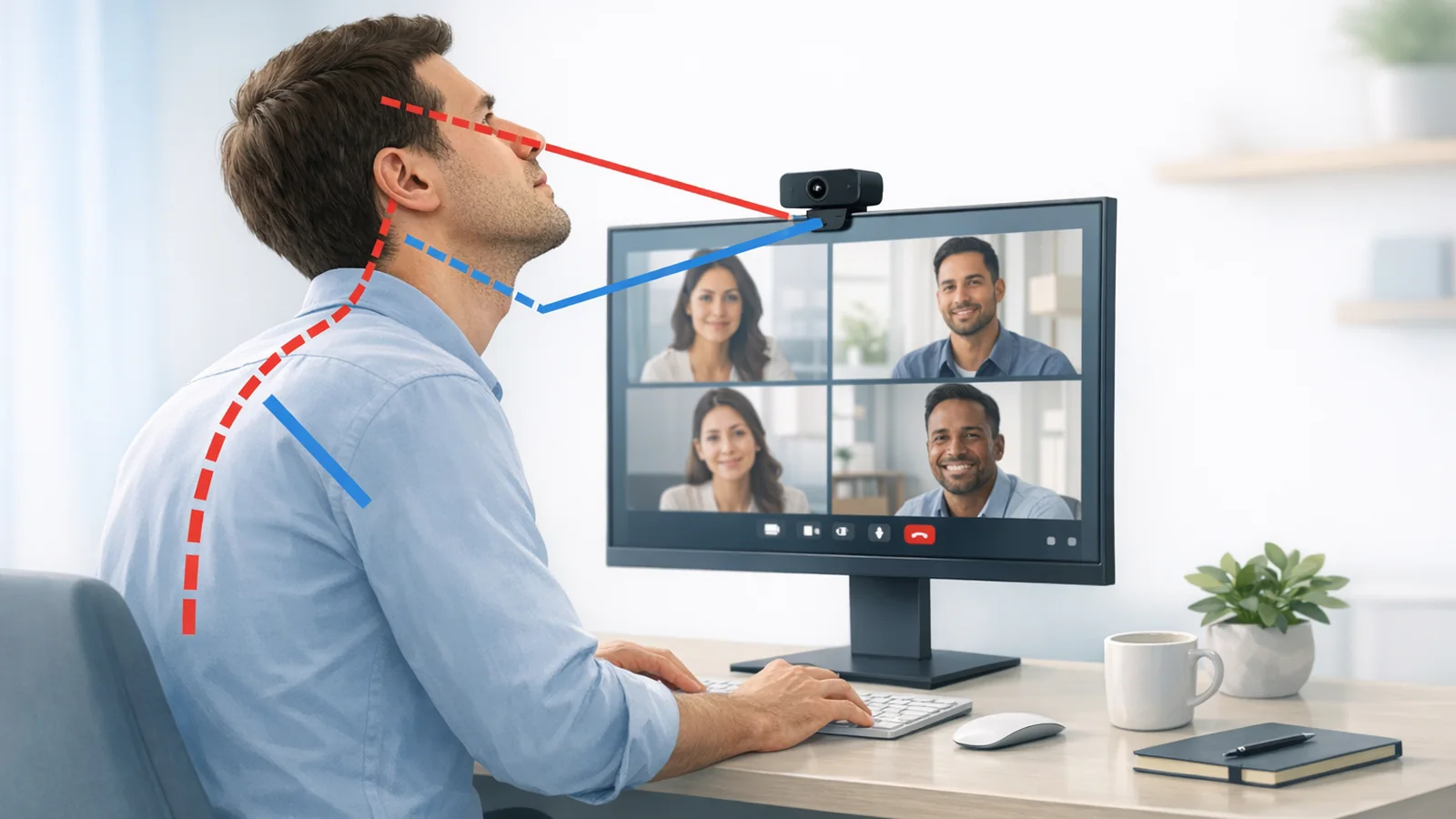
Watch what happens when you talk. If your chin reaches, your head turns, or one shoulder rises, reposition the boom within its intended range and use the operating system or call application’s microphone test. Adjusting input gain, noise suppression, or microphone selection may improve clarity without making you chase the microphone.
Avoid leaving one earcup half-off for hours. That asymmetry can encourage repeated adjusting or head tilt. If you need to hear the room, use an existing ambient-listening feature, switch to speakers where appropriate, or schedule headset-free blocks. Keep the monitor, camera, and person you address directly in front of you.
Run a No-Purchase A/B Test
Use two matched, short work blocks on the same day or at a similar time on two days. Choose a task that usually brings on symptoms, but do not exceed your normal tolerance. Keep the workstation, workload, and audio volume as similar as practical.
- Record a baseline. Note any neck, jaw, temple, scalp, or ear symptoms. Also note touching teeth, raised shoulders, or a turned head.
- Condition A: normal headset use. Record when symptoms begin and what you do with your head, jaw, or earcups.
- Condition B: no headset contact. Use speakers and the computer microphone if the room and task allow. Keep everything else unchanged.
- Compare recovery. Note whether symptoms settle after removing the headset and moving normally. Avoid adding a new treatment to only one condition.
- Repeat. A pattern across two or three comparisons is more useful than one unusually stressful meeting.
If the headset condition repeatedly brings symptoms on sooner, it is likely aggravating the problem. Repeat the comparison with one change at a time: band position, earcup position, microphone setup, or shorter wear blocks. If both conditions feel similar, consider the workstation, call stress, clenching, vision, or symptoms unrelated to the device. This test finds a pattern, not a diagnosis.
Keep Volume and Listening Time in the Picture
Physical comfort and hearing safety are separate. Risk depends on volume and duration, so use the lowest level that keeps speech clear, reduce background noise, and take quiet breaks. Device percentages are not a universal sound measurement; use exposure monitoring or a volume limit if your device provides it.
Noise reduction may reduce the urge to turn sound up, but it does not make unlimited listening safe. Persistent ringing, muffled hearing, ear pain, or difficulty following conversation deserves a hearing check. Sudden hearing loss in either ear is urgent and should not be blamed on the headset or watched for several days.
When to Stop Troubleshooting and Get Evaluated
Stop testing and seek prompt medical advice if neck pain is severe, rapidly worsening, follows an injury, spreads into an arm or leg, or occurs with numbness, tingling, weakness, poor coordination, balance problems, severe headache, fever, facial weakness, or speech or vision changes. Sudden neurological symptoms may be an emergency; use local emergency services.
Arrange medical or dental evaluation for jaw pain that persists, recurs, affects eating or sleep, or comes with tooth pain, swelling, reduced mouth opening, or suspected grinding. Jaw locking or inability to open the mouth normally needs urgent assessment. Do not repeatedly force or test a locking jaw.
Get urgent care for sudden hearing loss, especially with ringing, dizziness, or facial weakness. Even milder symptoms deserve evaluation if they continue away from work or fail to improve after headset contact and postural habits are removed.
Frequently Asked Questions
Can a heavy headset cause neck pain?
It can aggravate discomfort for some people, but weight is only one variable. Balance, contact, clamp, cable pull, wear time, microphone position, and the workstation also matter. A response to the headset does not establish the underlying diagnosis.
Should a new headset feel tight until it breaks in?
Do not treat pain as required break-in. Mild unfamiliar contact may settle after adjustment, but increasing temple, scalp, ear, jaw, or neck pain is a reason to stop. Use only approved adjustments and return a device that cannot fit without concentrated pressure.
Are earbuds better than over-ear headphones for jaw pain?
Not automatically. Earbuds remove band and earcup pressure but add contact inside the ear. Compare options in short, matched blocks with the same task and sensible volume rather than assuming a device category will solve jaw symptoms.
How often should I take my headset off?
No single interval fits every person, device, and sound level. Remove it when audio is unnecessary, change activity before pressure builds, and take quiet breaks more often as volume or total listening time rises. Symptoms are a stop signal, not a timer to work through.
Could my headset be causing temporomandibular disorder?
A headset may press near the jaw or coincide with clenching, but symptoms cannot show that it caused a jaw disorder. Persistent jaw or facial pain, tooth symptoms, limited opening, or locking should be evaluated by a medical or dental professional.
Sources and Further Reading
- OSHA: Computer Workstation Telephones and Headsets
- World Health Organization: Safe Listening
- NHS: Temporomandibular Disorder
- NIDCD: Sudden Sensorineural Hearing Loss
Medical Disclaimer
This article is for educational purposes only and is not medical or dental advice. It cannot diagnose neck, jaw, ear, or head symptoms and does not replace care from a physician, dentist, audiologist, physical therapist, or other qualified professional. Seek urgent or emergency care for severe, sudden, worsening, or otherwise concerning symptoms.